
First steps with AWS CDK
Posted on November 26, 2021 • 1 minutes • 181 words • Other languages: Deutsch
Warning
This site is deprecated. I moved my pipeline from aws cdk to Github-Pipeline. The documentation is still outstanding…
Create AWS-account
- sign up/in new AWS-account here
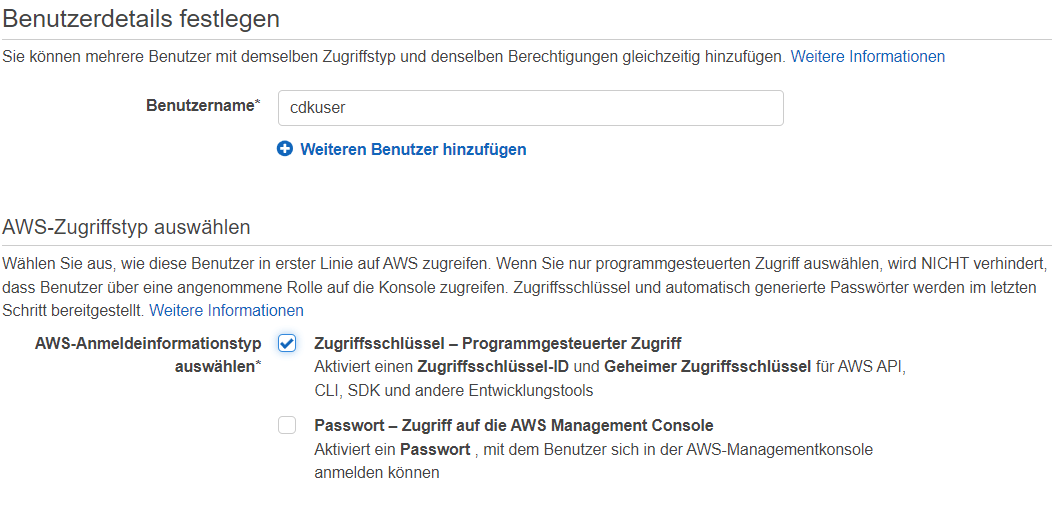
- in AWS IAM console create a new user and choose Programmatic access
- copy access key

Create policy
While the cdkworkshop grants full access to the new CDK user , Alexander Zeitler presented a minimal approach here , which I definitely prefer. So I create the minimum policy and expand it with every necessary one Authorization for the specific job and assign it to my new user.
{
  "Version": "2012-10-17",
  "Statement": [
    {
      "Action": [
        "cloudformation:*"
      ],
      "Resource": "*",
      "Effect": "Allow"
    },
    {
      "Action": "s3:*",
      "Resource": "arn:aws:s3:::cdktoolkit-stagingbucket-*",
      "Effect": "Allow"
    }
  ]
}
Install and configure AWS CLI
The installation is straightforward:
- download
- run
- configure
$ aws configure
AWS Access Key ID [None]: <Zugriffsschlüssel-ID>
AWS Secret Access Key [None]: <Geheimer Zugriffsschlüssel>
Default region name [None]: <eu-central-1 | us-east-1 | ...>
Default output format [None]: <leer lassen, Standard ist yaml>
Install CDK
$ npm install -g aws-cdk
- check installation
$ cdk --version
1.134.0 (build dd5e12d)